
Labelling and label printing
Whether shipping labels, product marking or RFID labels for containers and assets: we supply printers, labels and ribbons, set up layouts and print integration and, if you wish, do the printing for you. Companies from many industries print barcode and RFID labels with our software, from a single packing station to automatic labelling on the line.
Print systems since the very beginning
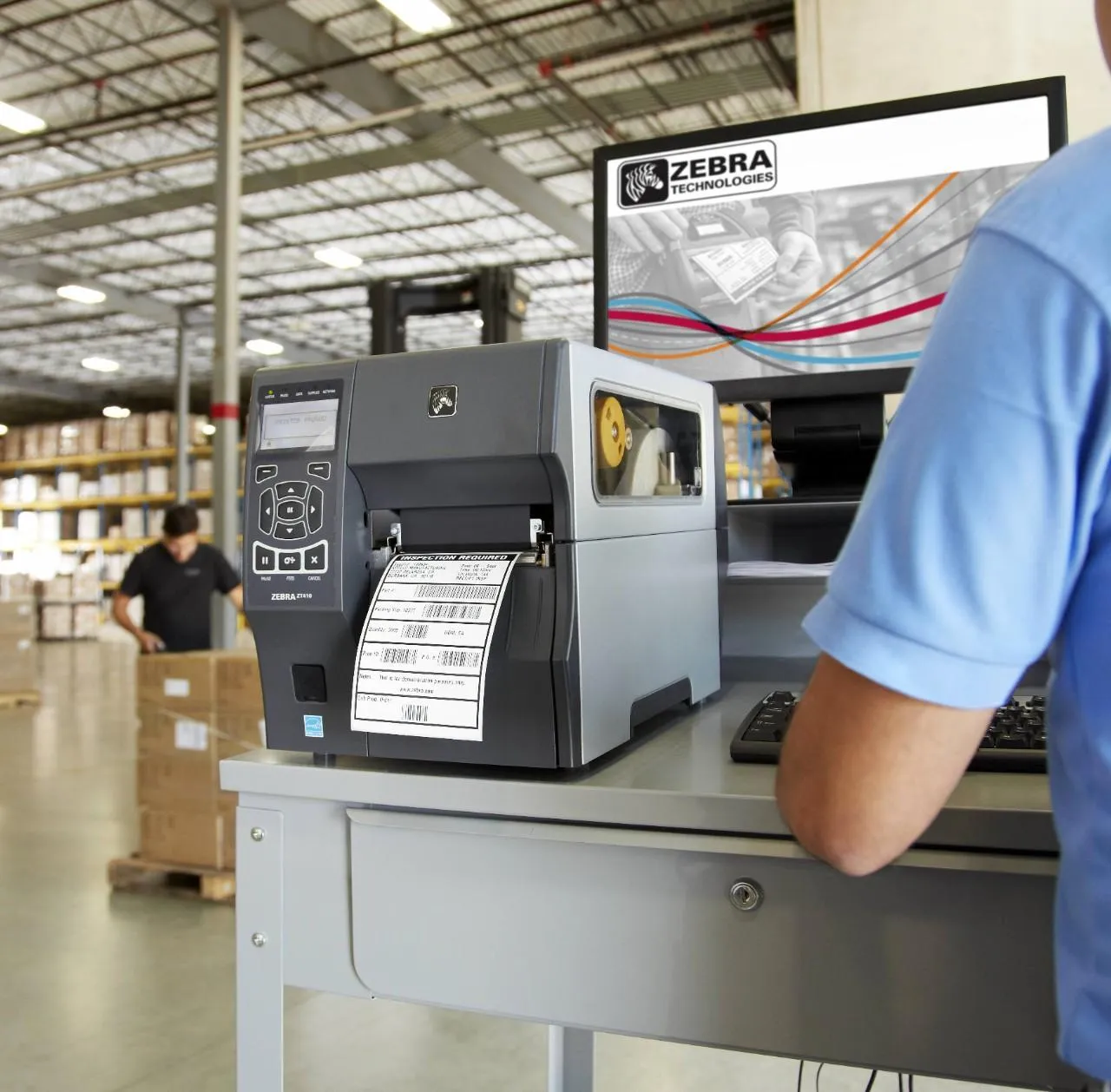
Print systems have been part of Data Elektronik from the start. As a Zebra partner with service authorisation we advise on selection and repair Zebra printers within warranty. For thick on-metal labels we offer modified Zebra RFID printers; we developed the modification in agreement with Zebra.
How labelling works in practice
Labelling is rarely just a printer at the packing station. Three typical building blocks that can be combined: the RFID label from your usual ERP print job, the transport label to VDA 4994 for deliveries to carmakers and automatic labelling on the conveyor. Apart from the transport label, none of them is tied to a particular industry. In each variant you can switch between two cases.
Isometric view of a packing station. A small box representing the R-COM Agent and an RFID label printer stand on a table, next to a bin for rejected labels. The ERP sends an ordinary print job to the R-COM Agent, which adds the RFID encoding and passes it on to the printer. The printer prints the label, writes the chip and checks it. An employee applies the label to a pallet and reads it with a handheld.
The ERP prints as before
The ERP sends an ordinary print job with SSCC and barcode. Nothing changes in the ERP: the R-COM Agent accepts the job like a printer, centrally on a server or on a small computer right at the printer.
^XA
^FO40,30^A0N,34^FDTransport label^FS
^FO40,80^BCN,110,Y,N,N
^FD>;>800340123450000012348^FS
^XZ
Isometric view of the shipping area at a supplier. The ERP sends the shipping data to R-COM Gateway, which checks it against the layout of the Global Transport Label to VDA 4994. If a mandatory field is missing, printing is stopped and the reason is shown on the monitor at the packing station. If the data is complete, an RFID printer prints and encodes one master label and four single labels. An employee applies the single labels to the four small load carriers and the master label to the pallet. A forklift takes the pallet through an RFID gate that reads all five labels.
The ERP supplies the shipping data
For delivery LS-80412 to a car plant, the ERP sends the shipping data to R-COM Gateway: consignee, part number, quantity, supplier number and the packages. Four containers on a pallet need four single labels and one master label.
Isometric view of a conveyor in the shipping area. A carton passes a light barrier, R-COM Gateway fetches the shipping data from the WMS and sends the print job to a print-and-apply applicator. Its print engine prints the label, encodes the RFID chip and checks it, then a tamp presses the label onto the carton lid. At a check station a barcode scanner and an RFID antenna read the label. If it is readable, the carton goes on to shipping. In the second case the barcode cannot be read: a diverter pushes the carton onto a rework lane, where the label is reprinted, applied and checked with a handheld.
The carton triggers the print
A carton reaches the light barrier in front of the applicator. R-COM Gateway fetches the SSCC and shipping data from the WMS and sends the print job to the print engine.
{
  "Line": 2,
  "Trigger": "Light barrier",
  "SSCC": "340123450000012355",
  "Layout": "Shipping label with RFID",
  "Printer": "Print & apply A2"
}
What it looks like in R-COM Gateway
Custom UIs show in R-COM Gateway what happens at printers and labels: running and stopped print jobs, the state of every printer, every failed check and the history of a single label. They run on live data and your permissions.
Three ways to your own overview
- 01Set up by us
We build the screens to fit your process, as part of the project.
- 02Adapted by you
You change columns, filters, limits or build entirely new views yourself in the software. No waiting for a new release.
- 03Created by AI
Describe in your own words what you want to see. The AI integration in R-COM Gateway builds the dashboard from it with your live data, without a separate BI tool or extra licences.
Show all of today’s print jobs that were stopped because of missing mandatory fields, with delivery note, missing field and packing station.
- Jobs today486
- Labels printed2,143
- Stopped1
- VOID3
- Reprints6
- Site: plant 1
- Printer: all
- Status: all
| Job · station | Label | Quantity | Progress | Status |
|---|---|---|---|---|
| LS-80415 · packing station 3 | GTL master + single | 5 | 0 / 5 | stopped: P missing |
| Line 2 · print & apply A2 | Shipping label RFID | 450 | 412 / 450 | running |
| Line 1 · end of line | Part label RFID | 60 | 60 / 60 | 2 VOID, reprinted |
| LS-80412 · packing station 3 | GTL master + single | 5 | 5 / 5 | printed |
| WE-2291 · packing station 1 | Transport label SSCC | 12 | 12 / 12 | printed |
Bars: printed labels relative to the job
- Printers9
- Ready6
- Warning2
- Fault1
- ready
- warning
- fault
- Status
- out of labels
- Since
- 10:31
- Reported to
- shift lead
- A3: out of labels
- PR-05: ribbon almost empty
- PR-04: clean print head
- PR-09 ready again
- Checked2,143
- Readable first time99.7 %
- Errors7
- Diverted4
- Open1
- Period: today
- Result: errors
- Station: all
| Time · station | Label | Prints | Finding | Result |
|---|---|---|---|---|
| 10:39 · check station line 2 | SSCC …2355 | 2 | Barcode ✗ · RFID ✓ | reprinted, readable |
| 10:12 · packing station 3 | SSCC …2348 | 2 | chip not responding | VOID, reprinted |
| 09:55 · line 1 end of line | Part …0731 | 2 | chip not responding | VOID, reprinted |
| 09:31 · check station line 2 | SSCC …2291 | 1 | Barcode ✗ · RFID ✓ | diverted, open |
| 08:47 · packing station 3 | LS-80397 master | 0 | mandatory field P empty | stopped, corrected |
Only labels with a finding. Open cases are marked red.
- Line
- 2
- Prints
- 2
- Diverted
- 1 ×
- Status
- verified, shipping
- WMSSSCC reported as verified
- Rework stationhandheld reads barcode and RFID, readable
- Rework station · PR-09reprinted, same SSCC
- Diverter line 2pushed onto the rework lane
- Check station line 2barcode unreadable, RFID readable
- Print & apply A2printed, encoded and applied
- Light barrier line 2print job with data from the WMS
- SSCC
- 340123450000012355
- EPC
- sscc:4012345.3000001235
- Hex
- 3114F4E4E4B2D062D3000000
- Layout
- Shipping label with RFID
- Printer
- A2, reprint PR-09
How we implement it
Printers and applicators
Desktop, industrial and mobile printers and print engines for print-and-apply systems when labels are applied automatically at the line.
Print software
R-COM® LabelPrint for layouts, printer management, rule-based job assignment and RFID encoding, in any industry. For the automotive industry there are also ready-made solutions to VDA, such as R-COM VDA 4994 for transport labels.
No change to your ERP
The R-COM Agent receives the print data as a print server, just like a printer. It adds the RFID encoding and sends the job to the right RFID printer. It runs centrally on a server or, if needed, on a small computer such as a Raspberry Pi right at the printer.
Printing as a service
Have labels and RFID labels printed and encoded to your layout. An Excel file with the data is enough.
What the solution does
- Encoding to GS1 (SSCC, SGTIN, GIAI, GRAI) and ISO/IEC 15459 with data identifiers to ISO/IEC 15418
- For the automotive industry also VDA 4987, 4994, 5500, 5501, 5509 and 5510, VW 01064/01067 and BMW GS 91010
- Printing after every scan, fully automatic with an applicator
- Verification of printed labels
- Modified Zebra printers for thick on-metal labels
- Labels, RFID labels and ribbons from one source
- Maintenance contracts with a fixed monthly fee per device
- Repairs by our own technicians
Typical applications
Print station with scanner
A handheld scanner, a terminal and a printer at the workstation, controlled by the R-COM Agent: after every scan an RFID label is printed and encoded automatically and, with an applicator, applied straight away. For any industry, for example in goods receipt, packing or production.
Print and apply on the line
An applicator labels cartons or parts on the conveyor, a check station reads barcode and chip, and faulty labels are diverted and reprinted.
RFID label from the ERP print job
The ERP prints as before, and the R-COM Agent adds the RFID encoding on the way to the printer.
Global Transport Label
Transport labels to VDA 4994 with RFID for deliveries to carmakers, used by around 100 suppliers.
Matching hardware
Software
The software behind this solution is R-COM Gateway. The platform controls readers, printers and handhelds, processes every event according to your rules and posts the result to SAP or other systems.
In practice
All reference projects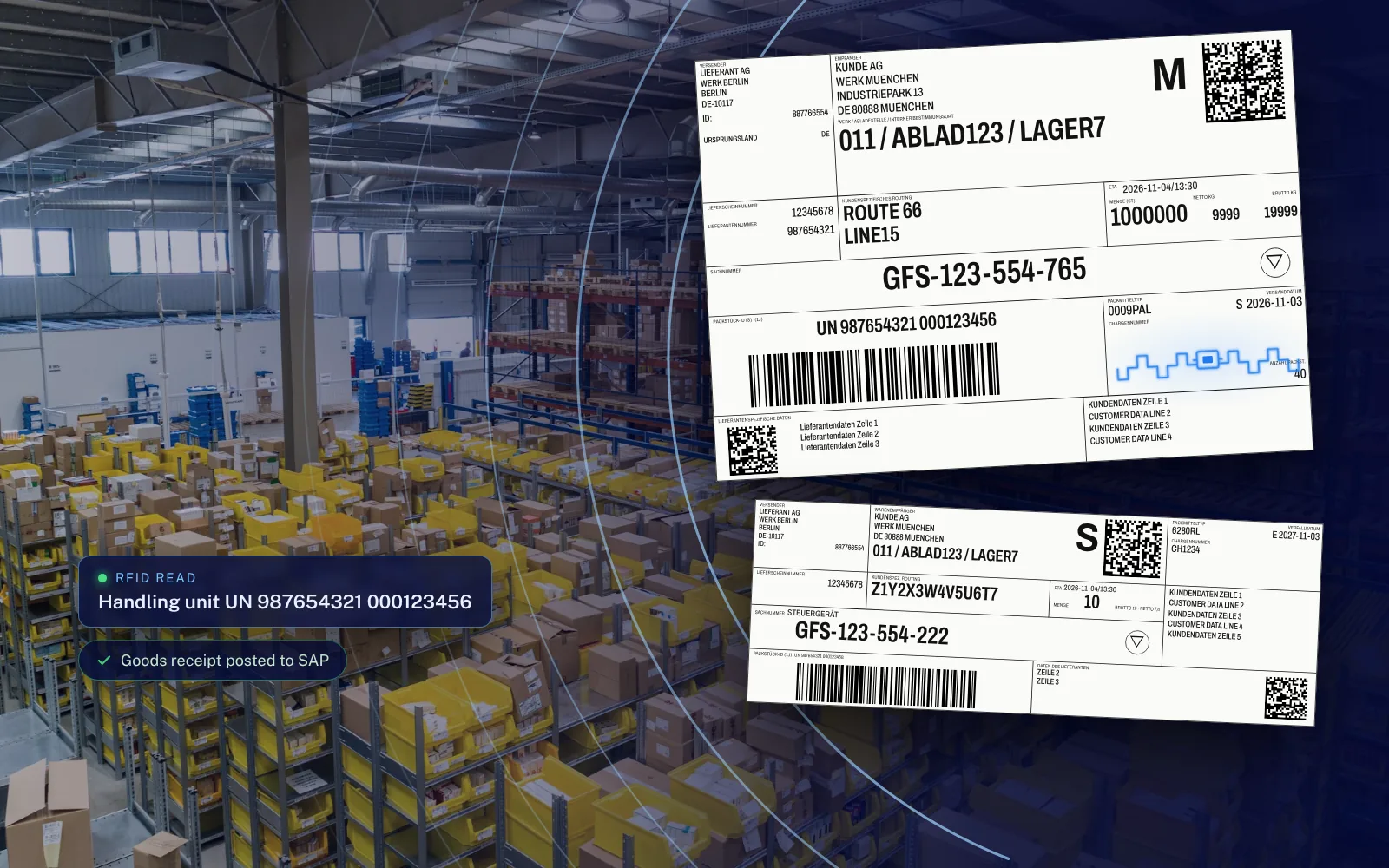 Automotive · Supplier onboarding
RFID transport labels for supplier onboarding
A Stuttgart carmaker piloted RFID in goods receipt in 2017/2018 and then onboarded its suppliers. During the pilot phase, Data Elektronik was the technology supplier for the suppliers and equipped around 100 of them.
Read the case study Automotive · Suppliers
From pre-series to series production
Other carmakers followed the transparent prototype. Instead of a few thousand labels in pre-series, series production means millions that have to be encoded, printed, applied and checked for every part.
Read the case studyFAQ
What is a Global Transport Label?
A transport label to VDA 4994 for load carriers in automotive logistics. The RFID version also contains an encoded tag.
Do we have to change our ERP for RFID labels?
Not necessarily. The R-COM Agent accepts your existing print jobs and adds the RFID encoding on the way to the printer. The print process in your ERP stays almost unchanged.
Is this only for the automotive industry?
No. The VDA examples come from many projects with carmakers and suppliers, but our print solutions work in any industry. Customers from logistics, manufacturing and other sectors use them to print barcode and RFID labels to GS1, ISO/IEC or their own specifications.
Let's talk about your project
An initial call with a consultant who knows your industry. Phone +49 621 4108 0 · info@data-elektronik.de