
Container and RTI management
Returnable load carriers get lost, stay too long with partners or are missing exactly when production needs them. With RFID, every container is captured automatically each time it moves. You see stock, location and cycle times and post directly to your ERP.
Permanent tag or single-use tag?
The first question is whether the containers belong to you or return in defined loops, or whether a tag is only used for one shipment. Permanently tagged containers are captured each time they are filled or emptied. With single-use tags, every shipment needs new encoding and labelling, by hand or with an applicator. In hybrid setups a barcode rebooks the content while RFID captures the movement of the container.
How container management works in practice
Container management is rarely a single process. Three typical building blocks that can be combined: the cycle of the containers themselves, the content inside them and bundling into handling units. In each variant you can switch between two cases.
Isometric view of a plant. Empty small load carriers run on a conveyor through a shielded RFID tunnel and are stacked on a pallet. A forklift carries the pallet through an RFID gate into a truck that drives to the supplier. R-COM Gateway counts the days at the supplier. The truck brings the filled containers back, the gate books them into the plant, and they go into a smart shelf with RFID antennas at the production line.
Every container is read on its own
Empty containers run on the conveyor through the shielded RFID tunnel. The three antennas read only the container inside the tunnel, not the next one on the belt. R-COM Gateway recognises the container type and serial number.
{
  "Container": "KLT-0412",
  "Type": "KLT 6428",
  "GRAI": "4012345.06428.0412",
  "Location": "Shipping"
}Isometric view of a packing station with a conveyor. An empty small load carrier with an RFID tag is filled with four parts. In the first case an employee scans each part by barcode; in the second the parts carry RFID labels and an RFID tunnel reads container and content in one pass. R-COM Gateway stores the content with the container. At the read point to shipping only the container is read, and the content is posted automatically with it.
An empty container at the packing station
Container KLT-0412 carries a permanent RFID tag. At the packing station the handheld reads the container, and the app opens an empty packing job for it.
{
  "Container": "KLT-0412",
  "Type": "KLT 6428",
  "Content": "empty"
}Isometric view of two areas separated by a wall with an RFID gate. On the left six small load carriers are placed on a load carrier: in the first case in a mesh box with its own RFID tag, in the second on a one-way pallet without a data carrier. The handling unit is formed either by RFID at an aggregation point or by scanning with the handheld. A forklift takes the handling unit through the gate into production, where it is broken up and the containers go one by one into a supply rack.
A mesh box with its own tag
Six containers are to go to production together. They go into mesh box GB-0091, a returnable container with its own RFID tag. The mesh box is itself a container with its own cycle.
{
  "Load carrier": "Mesh box GB-0091",
  "Kind": "Returnable",
  "Data carrier": "RFID tag"
}
What it looks like in R-COM Gateway
Custom UIs are your own screens in R-COM Gateway: overviews for dispatch, monitors at the line, the history of every container. They run on live data and your permissions. And you do not have to rely on us to build them.
Three ways to your own overview
- 01Set up by us
We build the screens to fit your process, as part of the project.
- 02Adapted by you
You change columns, filters, limits or build entirely new views yourself in the software. No waiting for a new release.
- 03Created by AI
Describe in your own words what you want to see. The AI integration in R-COM Gateway builds the dashboard from it with your live data, without a separate BI tool or extra licences.
Show all containers that have been at a supplier for more than 14 days, grouped by supplier.
- Containers total1,240
- In plant812
- At partners401
- In transit27
- Over dwell limit14
- Site: all
- Container type: all
- Period: 30 days
| Partner | Container type | Stock | Avg. dwell | Over limit |
|---|---|---|---|---|
| SUP-0193 · supplier | KLT 6428 | 96 | 8.4 days | 1 |
| SUP-0207 · supplier | KLT 6428 | 141 | 11.2 days | 9 |
| SUP-0311 · supplier | Mesh box | 38 | 6.0 days | 0 |
| CUS-1102 · customer | KLT 4314 | 126 | 12.9 days | 4 |
Bars: average dwell time relative to the 14-day limit
- Over limit14
- Reported14
- Oldest case19 days
| Container | At | Dwell time | Last read | Status |
|---|---|---|---|---|
| KLT-2281 | SUP-0207 | 19 days | Door 2 · outbound | Email sent |
| KLT-2290 | SUP-0207 | 17 days | Door 2 · outbound | Email sent |
| KLT-7734 | CUS-1102 | 16 days | Door 5 · outbound | Email sent |
| KLT-0417 | SUP-0193 | 15 days | Door 2 · outbound | Email sent |
| KLT-7741 | CUS-1102 | 15 days | Door 5 · outbound | Email sent |
- Places occupied7 / 8
- Empty1
- Replenishmenttriggered
- 1KLT-0414
- 2KLT-0415
- 3KLT-0416
- 4–
- 1KLT-0398
- 2KLT-0401
- 3KLT-0412
- 4KLT-0413
- occupied
- just stored
- empty
- KLT-0416 stored, level 2
- Place 2-4 empty, replenishment requested
- KLT-0409 removed, level 2
- KLT-0413 stored, level 1
- Type
- KLT 6428
- Location
- Smart shelf line 2
- Cycles
- 23
- Avg. cycle
- 9.6 days
- Smart shelf line 2stored
- Door to productionin HU GB-0091 into production
- Door 2 · inboundback from SUP-0193, filled, cycle 9 days
- Door 2 · outboundempty to SUP-0193, delivery note LS-77120
- RFID tunnel shippingread, empty
- 4711-020 Sensor M12
- 4 pcs
- Batch
- C-118
- Dwell time at partner
- ≤ 14 days
- Cleaning
- every 20 cycles
How we implement it
Analyse containers and processes
Container types, stacking, transport routes and environment determine which tags and read points work reliably.
Choose and apply tags
Rugged on-metal or washable tags, printed and encoded to your specification, including initial tagging of your stock if required.
Set up read points
RFID gates at goods receipt, shipping and production, complemented by handhelds for search and inventory.
Process events and post them
R-COM® Gateway distinguishes container types, processes every read event by rules and posts to SAP or other systems.
What the solution does
- Stock per site and partner
- Cycle and dwell times per container type
- Alert when a container is put in the wrong place
- Own rules per container type
- Location monitoring via RTLS as an option
- Device management for readers, printers and handhelds from different manufacturers
Building blocks from projects
Smart shelves
Shelves with RFID antennas for 40, 80 or 120 small load carriers. They report stock and empty slots and trigger replenishment.
RFID tunnels
A shielded read zone on the conveyor, for example with a Kathrein RRU 4500 and three antennas. Only the container in the tunnel is read, not the next one on the belt.
RFID gates
Capture containers on pallets at goods receipt, shipping and transfer between warehouse and production.
Handhelds and printers
For palletising, searching and counting, and for printing RFID labels directly from SAP.
Matching hardware
Software
The software behind this solution is R-COM Gateway. The platform controls readers, printers and handhelds, processes every event according to your rules and posts the result to SAP or other systems.
In practice
All reference projects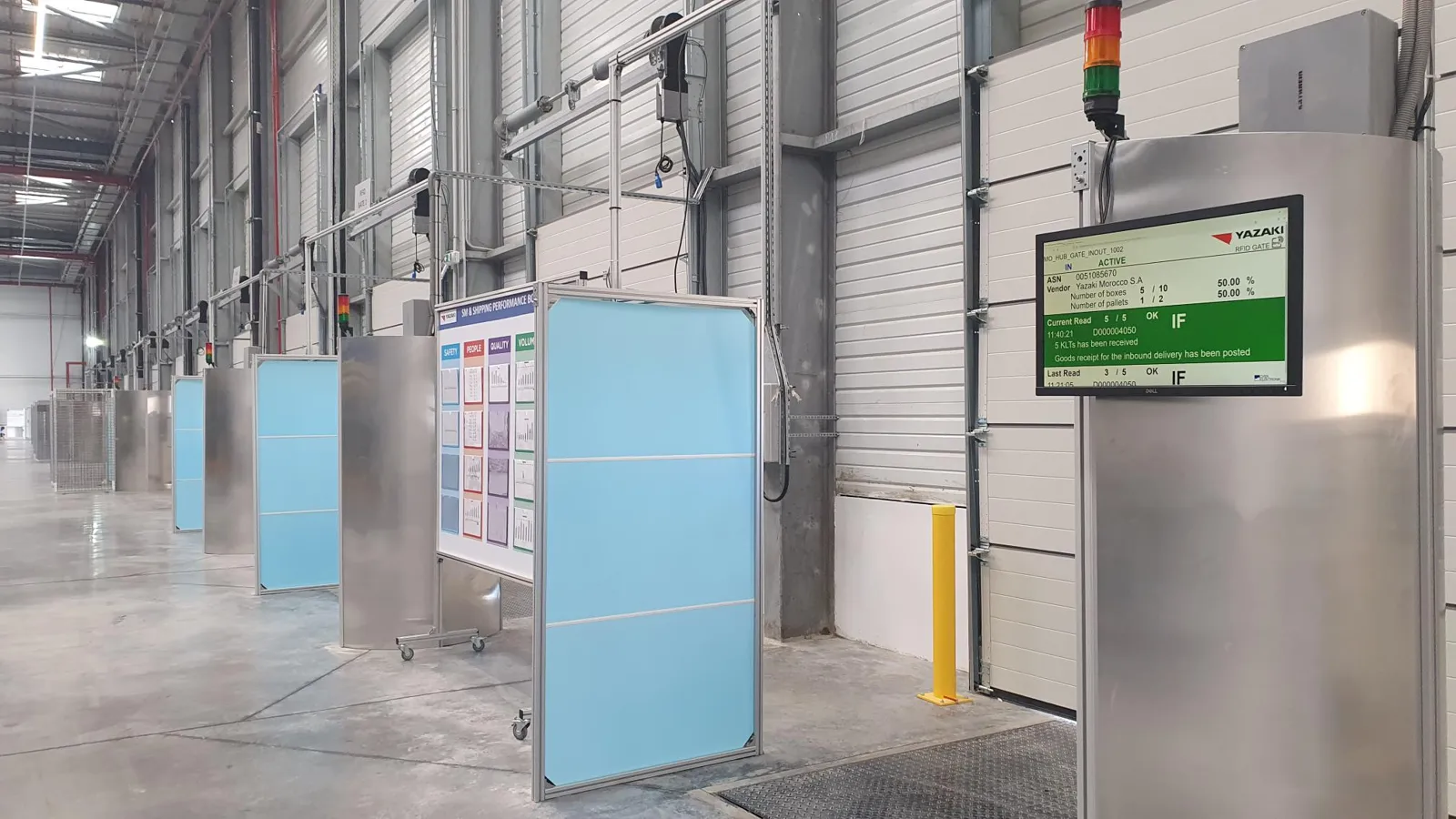
FAQ
Does RFID work on metal containers?
Yes, with on-metal tags designed for metallic surfaces. We find the right tag with read tests on your containers.
Do we need an SAP integration to start?
Not necessarily. For a pilot, a stand-alone system without ERP connection is often enough. Integration with SAP or other systems follows when you go live.
Let's talk about your project
An initial call with a consultant who knows your industry. Phone +49 621 4108 0 · info@data-elektronik.de